The wonderland roblox link you are looking for goes straight to the official Wonderland game page by ScaryPlay: visit roblox.com/games/13718567207/Wonderland and click the green Play button to jump in for free. To stay safe, always make sure the developer name on that page says ScaryPlay before you click anything, because copycat uploads and lookalike titles do appear in Roblox search results.
 The icon shown on the official Wonderland game page.
What the official Wonderland link is
Wonderland launched on August 14, 2026, and the official Roblox place is now live under developer ScaryPlay. The canonical link you will see referenced across community guides is the roblox.com game page for Place ID 13718567207, and that is the destination you should bookmark. The game is free to play on Roblox, so you do not need a special invite or paid pass to join. If a guide is still using the old Roblox events page as the main link, it may simply be outdated from the pre-release window.
How to verify you are on the real page
When you land on a Wonderland page on Roblox, scan for these trust signals before you click Play or join any group:
- Developer line should read By ScaryPlay under the game title.
- Place ID in the URL is 13718567207; if the number is different, it is a different experience.
- The official description points players to the ScaryPlay group for in-game rewards.
- If the page looks plain, incomplete, or the maker name looks unfamiliar, leave and re-search from the official link above.
You can also open the creator link directly to reach the official ScaryPlay Roblox group, which is useful for checking announcements and group-based rewards. Fan guides list that group clearly as the studio behind Wonderland. If you are unsure whether a group is the real one, compare its member count and owner against information shown on the game page and cross-check with trusted community sources.
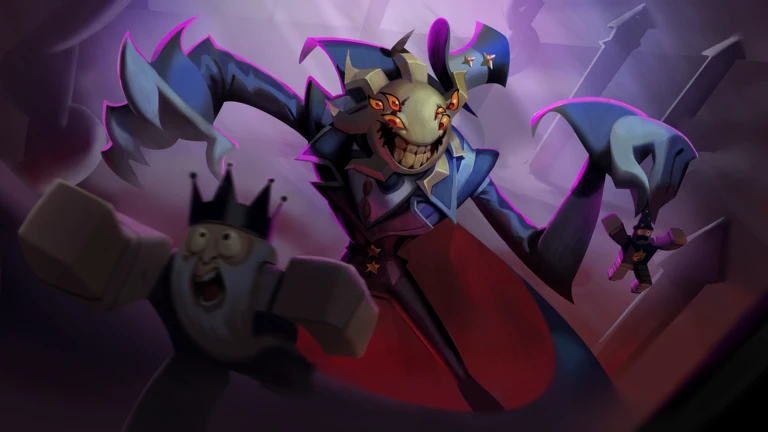 Cover art shown on the official Wonderland game page.
Why there is more than one “Wonderland” link floating around
Search results for this topic can be confusing because Roblox has more than one experience using the name Wonderland. For example, a separate game called Wonderland RPG exists under a different Place ID, and that is not the ScaryPlay release. There is also older community folklore around a creepypasta-style Wonderland project from years ago, which further muddies the results. That is exactly why checking the developer name and the Place ID matters.
Where community guides say to find official updates
Multiple Roblox guide hubs collect the same cluster of official channels: the game page, the ScaryPlay group, and the ScaryPlay Discord server. One guide hub describes the Discord as the main announcement channel, while another simply links out to ScaryPlay’s Roblox group and official YouTube together. Together, those sources paint the same picture: Wonderland is managed under the ScaryPlay brand, not under a random personal account. For the safest invite link, follow a link from the official game page or the group description rather than pasting a random invite you found in a comment section.
What to do if the game page ever seems offline
Before launch, some guides warned that Wonderland’s direct link was temporarily offline and pointed to a Roblox release event page instead. That situation can happen around big updates or scheduled launches, when Roblox pages get swapped or refreshed. If the link is not loading the way you expect, do not panic and do not trust a lookalike URL from a third-party site. Instead, navigate back to the known game page from this article, check the ScaryPlay group for news, or look for the latest post on the official Discord server. That keeps you on the verified path while the listing stabilizes.
How to avoid fake copies and scam links
Because Wonderland attracted attention quickly after launch, it is easy for impersonators to reupload a thumbnail and try to draw clicks away from the real game. Keep these basics in mind:
- Do not trust random shortened links or links pasted in comment sections without context.
- Do not join a group that suddenly claims to be ScaryPlay unless it matches the group linked from the official game page.
- If a page promises exclusive codes or rewards in exchange for outside sign-ups, treat it as suspicious.
- When in doubt, re-open the game from the roblox.com/games/13718567207/Wonderland link and compare the developer line.
This is also why our site has a dedicated guide on fake Wonderland copies, so players can see common warning signs in one place.
Helpful next steps on Wonderland Wiki
If you are brand new to the game, start with the beginner guide to understand movement, objectives, and early progression. If you want broader background and mechanics, the Wonderland Wiki is the place to dig deeper. Players who heard rumors about removed uploads may also want to read our explainer on deleted Wonderland uploads, and those hunting for freebies can check the codes page. For everything else, our topics hub collects every Wonderland guide we have published.
Frequently Asked Questions
Is Wonderland free to play on Roblox?
Yes. The official Wonderland game by ScaryPlay is free to join on Roblox, so you only need a normal Roblox account to play. Any extra progression comes from playing the game, not from buy-to-access links.
How do I know I have the right Wonderland link?
Check the developer name and the Place ID. The real page lists the developer as ScaryPlay and uses Place ID 13718567207 in the URL. If either detail does not match, you are likely looking at a different upload.
Why are there multiple Wonderland games in Roblox search?
Because Wonderland is a popular title theme, different creators can publish separate experiences with similar names. That is common on Roblox, so it helps to verify the creator and group before joining.
Where should I go for official updates?
Community guides consistently point to the ScaryPlay Discord and the ScaryPlay Roblox group as the main update sources. The game page itself also links to the ScaryPlay group directly.
What should I do if the main link looks broken or different?
Start from the official link on this page and then check the ScaryPlay group or Discord for news. Avoid clickalike alternatives until the original listing is back to normal.