The official Wonderland Roblox Discord server uses the invite discord.gg/scaryplay and is the primary hub for announcements, sneak peeks, and community chat run by the ScaryPlay development team. Whether you want patch notes the moment they drop, a place to report bugs, or just to hang out with other players, this is the central server the developers point people to.
 ScaryPlay used its YouTube channel to share the official release animation ahead of launch.
Why the ScaryPlay Discord Is the Main Wonderland Server
When you search for “wonderland roblox discord”, most guides and community hubs direct you to discord.gg/scaryplay rather than any of the several fan-made or similarly named servers that also appear online. Multiple professional guides list this as the official link, and it matches the Roblox group name ScaryPlay, whose owner is also credited as one of the Wonderland developers. In short, if you only bookmark one server for the game, this is the one to start with.
It is worth knowing that Wonderland is not the only project on the ScaryPlay brand. Because the developer runs the server rather than a separate Wonderland-only brand, the Discord covers both the game and the broader ScaryPlay community. For players, that usually means you will also see chat about other ScaryPlay experiences, events, and giveaways alongside Wonderland-specific channels.
What You Actually Get Inside the Server
The official server serves as the main announcement channel for Wonderland. According to community sources, delay notices, updated launch windows, and event schedules first appear there before anywhere else. That includes moments like the last-minute age-verification confusion in August 2026, when a developer message shared on Discord explained that a resolution with Roblox had been reached and that the game would finally launch for all age groups.
Outside of formal announcements, the server is also where you find:
- Sneak peeks and work-in-progress media from the team
- Giveaways and events run by moderators or the developer
- Game-related media, fan clips, and discussion
- Bug reports and player feedback
For many players, that combination makes it the fastest way to stay current on Wonderland without relying on third-party sites.
How the Discord Shaped the Launch Story
If you followed Wonderland during its rocky road to release, you already know the Discord played a central role in the saga. One widely cited example is the pre-launch delay. A developer message posted to the server explained that the delay was tied to a Roblox age-restriction update, and that the team needed more time before the game could be made available to everyone. That same message was later quoted by YouTubers covering the launch countdown.
The server was also where ScaryPlay warned players about fake copies. As community reports describe, several copycat games appeared while the official build was delayed, some charging Robux to join. The developer used Discord to tell players not to trust those versions and to wait for the real release instead. That kind of rapid crisis communication is exactly why the server matters to the community.
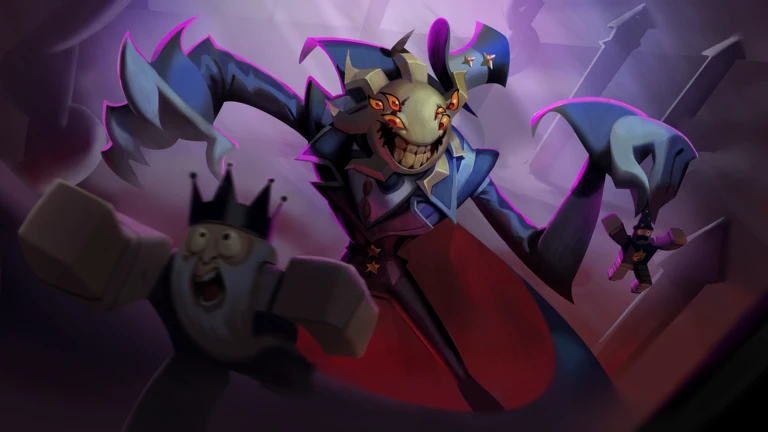 Wonderland launched with a carnival-style world full of rides, attractions, and bright scenery.
Post-Launch Community Friction
Launch day excitement did not mean everything ran smoothly. Community reports on Reddit indicate that after players flooded in, the Discord at one point became overwhelmed with complaints about bugs and gameplay issues. Separately, the Wonderland game wiki notes that during an earlier period of fan frustration, chat channels had to be temporarily closed. These are different events, but together they suggest the server saw repeated waves of intense traffic and moderation pressure.
None of that means the Discord is unsafe or unhelpful, but it does explain why you may occasionally notice locked channels, rate limits, or busy moderation during big updates. In communities tied to major Roblox launches, that pattern is common: the same popularity that makes the server valuable also makes it harder to manage during spikes.
How to Tell the Official Server From Fan Copies
One confusing part of searching for “wonderland roblox discord” is that multiple servers use Wonderland in their name. Results have included names like “Wonderland | Official”, “Wonderland | Roblox”, and other similar variations. The research notes that several of these invite links coexist and that their ownership has not been fully verified. That is a good reason to stick with the widely cited official invite and cross-check the server details before trusting any channel claiming to speak for the developer.
A quick rule of thumb: if a server charges Robux for entry, promises exclusive codes in exchange for payment, or claims to be the “only real server” while hiding its admin info, treat it with caution. The official ScaryPlay community points players to discord.gg/scaryplay, and reputable guides back that up.
What the Server Cannot Do
Even if you join the official Discord, it helps to know what it is not. It is not a customer-support desk, and it is not an instant fix line for every bug you encounter. Wonderland is still a live-service Roblox game, and like any such game, some issues need patches, server resets, or Roblox-side changes before they can be resolved. The Discord is where you can report problems and see whether others are experiencing the same thing, but resolution may take time.
It is also not a guarantee of codes or giveaways for every player. While the server does run community events, codes and rewards are often tied to specific milestones, updates, or promotions. If you are mainly hunting for in-game rewards, our Wonderland codes page is a helpful companion to the Discord.
Is the Discord Worth Joining
For most Wonderland players, yes. If you want the earliest official word on updates, a place to see new media straight from ScaryPlay, and a community where you can talk with thousands of other fans, the Discord is still the best starting point. Even with the occasional moderation turbulence, it remains the channel where the developers are most likely to post important news first.
If you want the big-picture story behind the game, you can also explore our Wonderland wiki and our overview of the developer ScaryPlay. Between those pages, the Discord, and community discussion on places like Reddit, you will have a pretty complete view of where Wonderland stands.
Frequently Asked Questions
What is the official Wonderland Roblox Discord invite?
The widely cited official invite is discord.gg/scaryplay, which points to the ScaryPlay community server that also hosts Wonderland announcements. If the link ever appears to expire, check the ScaryPlay Roblox group or a trusted guide for the current invite.
Is the server run by the Wonderland developers?
Yes. Community sources and professional guides describe it as the developer’s Discord, and the owner of the ScaryPlay Roblox group is also listed as one of the game’s owners. That is why major news, including delay and launch updates, has appeared there first.
Why are there so many different Wonderland Discord links online?
Because the game’s name is popular, several servers use similar names, and some may be fan-made, older invite variants, or unrelated projects. Unless you can confirm the server is tied to ScaryPlay, it is safest to use the invite backed by multiple guides.
Does the Discord give out free codes?
It can, but not constantly. The server is more focused on announcements, sneak peeks, community events, and general discussion. For a running list of active codes, you are better off checking our codes page alongside the Discord.
What should I do if the Discord feels overwhelming during a big update?
That is normal during major launches. Try using read-only channels or announcement-only feeds if available, report bugs calmly, and give moderators time to restore order. If you just want news, the announcement channels are usually the fastest way to follow along.